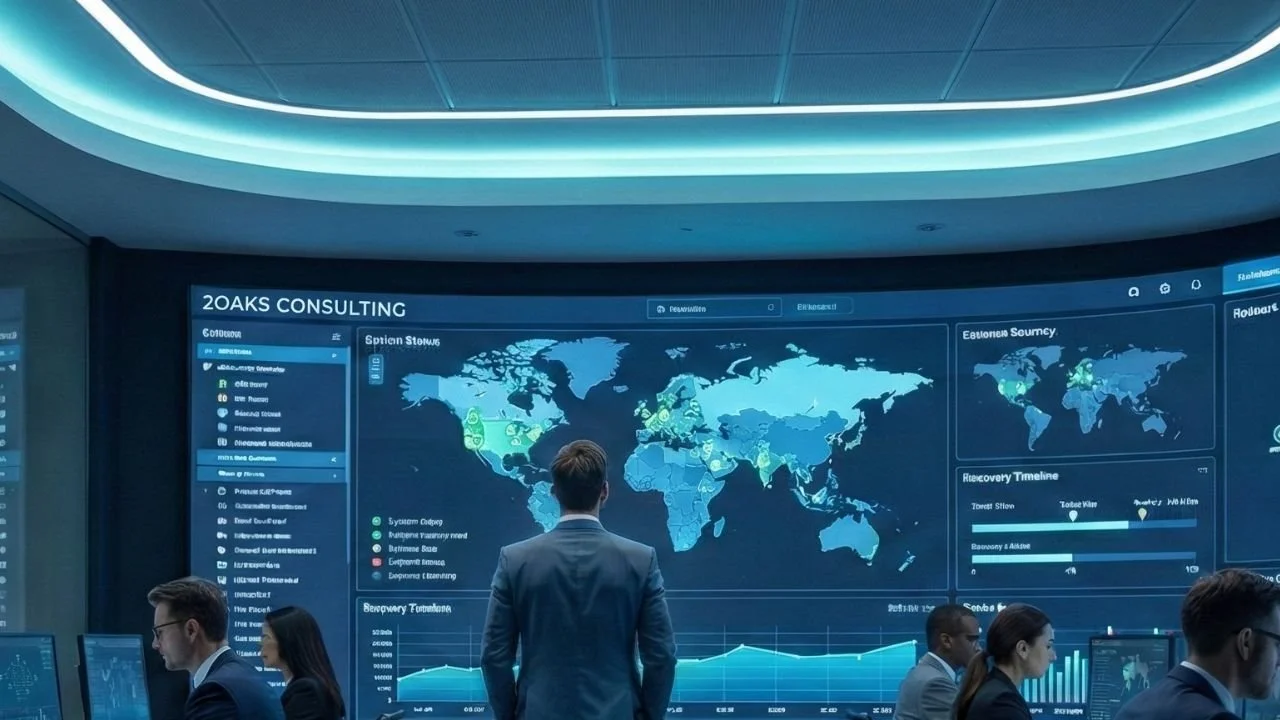
Know your go-live will actually land, not when the plan said it would three weeks ago. 2OaksGo is a live cutover command centre built by 2Oaks for banks and credit unions running core conversions, core banking migrations and other high-stakes go-lives. Keep your cutover planning in the tool you already use. Run the cutover itself in 2OaksGo, where the finish time re-forecasts every time work slips.
The product was shaped by banking core migrations. Your team can run it on its own, or 2Oaks can configure it and run the cutover with our project managers working alongside your staff.
2OaksGo
The cutover command centre for core conversions
Plan ▸ Rehearse ▸ Countdown ▸ Go-live ▸ Hypercare
Key Components of 2OaksGo
-
Spreadsheets can’t show how one late task pushes everything behind it. 2OaksGo recalculates the finish time with every change.
Re-forecasts the landing time on every update and shows what is driving a slip.
Planned, actual and forecast times side by side for every task.
Gap to your committed window visible before the window is at risk.
-
Leadership gets the current picture without pulling your cutover team into status calls.
One executive dashboard with projected landing time, gap to commitment, active issues and upcoming work.
Scheduled status updates for CIOs, COOs and sponsors.
A read-only broadcast page for wall screens or phones, plus Microsoft Teams posting and printable status packs.
Shift coverage at a glance, so leaders always know who is on call and who is up next
-
The calls that matter are made at set checkpoints, with the facts in front of the people making them.
Go / Hold / Abort checkpoints shown on the Gantt chart and the broadcast page.
Incident and decision logs that track status and age.
A clean register at the start of every run.
-
Practice runs happen in the same tool as the real cutover, so lessons carry forward instead of getting lost.
Rehearse in 2OaksGo with an admin-controlled shared clock.
Use recorded actuals to seed the next run, only when you choose to.
Arrive at go-live with a plan your team has already ran.
-
No rip-and-replace. 2OaksGo works alongside the planning tools you have.
Imports plans from MS Project or PrjectLibre XML and exports them back.
Role-based views, owners, dependencies and a My Work view
A shift roster that shows coverage and handoffs, with a protection when people edit at the same time.
-
When something breaks at 2am, nobody should be searching through email for a phone number. 2OaksGo keeps a single contact directory for everyone involved in the cutover.
Names, roles, phone numbers, time zone and email addresses for your team, vendors and partners in one place.
Contacts tied to the tasks and shifts they own, so you know exactly who to call
Your core conversion date is set. Your finish time shouldn’t be a guess. See how 2OaksGo works and talk to a cutover practitioner.
Who 2OaksGo is for
When a go-live slips, the plan, the trackers and the status updates usually live in different places, so leadership is working from stale information. A missed window can lock customers out, draw regulatory attention and force a rollback nobody has tested. 2OaksGo is built for the teams who carry that risk.
Cutover teams: program leads, conversion leads and release managers who run the night.
Institutions with critical go-lives: core conversions, core banking migrations and other dependency-heavy cutovers.
Executives and sponsors: CIOs, COOs and project sponsors who need early warning, not a surprise.
Running a go-live that isn’t a core migration? Tell us about it and we’ll let you know if 2OaksGo fits.
Banking Transformation Series
Your Questions Answered
What is 2Oaks Go?
What kinds of go-lives is 2OaksGo built for?
2OaksGo is a live cutover command centre from 2Oaks Consulting. It takes a go-live from planning through rehearsal, countdown, the go-live itself and hypercare, and re-forecasts the finish time as work slips. It was shaped by banking core migrations.
Do we have to replace Microsoft Project?
No. You keep planning in the tool you already use. 2OaksGo imports plans from MS Project or ProjectLibre XML and exports them back.
How is it different from running a cutover from a project plan or spreadsheet?
A plan or spreadsheet shows what was expected weeks ago. 2OaksGo recalculates the landing time on every change, shows planned, actual and forecast times side by side, and shows which tasks are driving a slip.
How does 2OaksGo help with cutover planning?
Build or import your cutover plan, then rehears it in 2OaksGo before go-live. Each rehearsal records actual times, and you can use them to tighten the next run. The plan you take into your core conversion has already been tested by the people who will run it.
What does the executive view show?
It is built for critical, dependency-heavy go-lives, with core conversions and core banking migrations as the starting point. If you’re planning a different kind of go-live, tell us about it and we’ll say whether 2OaksGo fits.
How do we get started?
Request a conversation on the 2OaksGo site with a short note on your system, rough date and concerns. A member of the 2Oaks team will reply by email.
Planning + Practice = Predictability
Can 2Oaks run the cutover for us?
The executive view shows a summary, the projected landing time, variance to your commitment, active incidents and upcoming work. A read-only broadcast page gives the wider team one status, one sentence and a countdown on a wall screen or phone.
Yes. 2Oaks can configure 2OaksGo for your go-live and run the cutover with our project managers working alongside your team. You can also run it yourselves.
Explore Other Services
-
![Two colleagues, a woman and a man, work together in a modern office at night, leaning over a conference table with papers, a laptop, and coffee cups, surrounded by colorful sticky notes on the glass walls.]()
Enterprise Architecture and Strategy Roadmapping
-
![Business professionals shaking hands in front of digital graphs and charts displayed on large screens.]()
Mergers and Acquisitions
-
![]()
Business Continuity Planning
-
![]()
Executive Technology Advisory Service
-
![]()
AI Maturity and Readiness Assessment and Strategy
-
![]()
Virtual (Fractional) CIO